

Build in layers.
Combine images, selections, masks and adjustments. Repair small details, refine color, and keep an editable master in FairPhoto's native .fphoto format.
FAIRPHOTO / IMAGES & VIDEO
A visual workspace for professional and personal projects. Edit in layers, repair photographs, generate images, and create video with local AI.
$29.99 USD · buy now, one time
Editor: macOS 13 or later · Included AI engine: Apple silicon, macOS 14 or later · MLX models: macOS 26.2 or later
AI engine included. Models download separately; memory and storage needs vary by model.
FairPhoto 1.0.1 (build 3) · 438 MB download
SHA-256 checksums
 FairPhoto
Share◉⌄
FairPhoto
Share◉⌄
 RobotLady ×Untitled-1
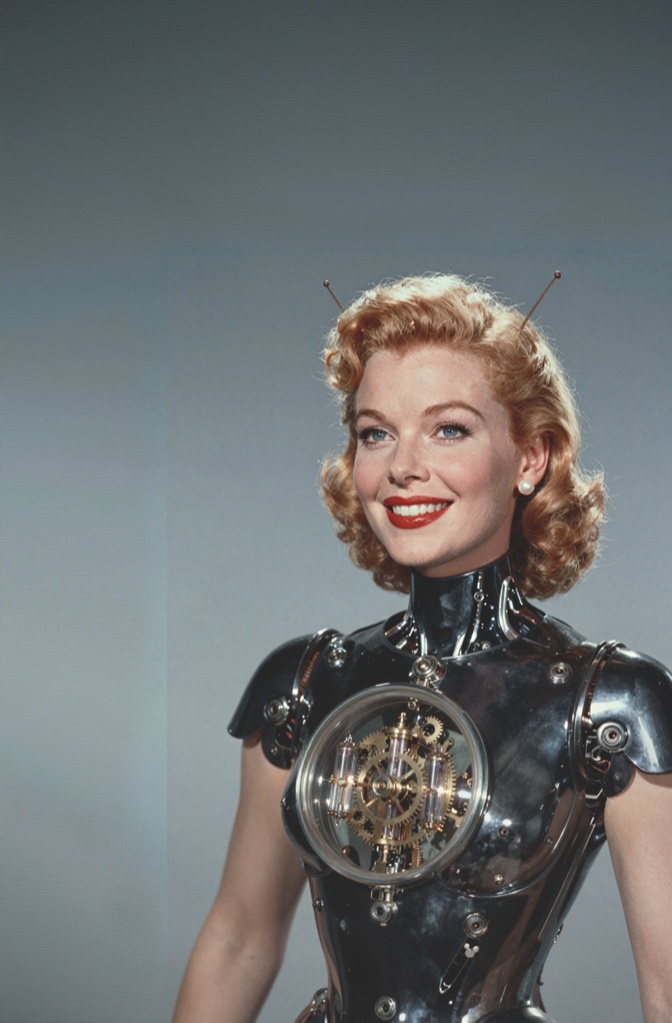
Review the finished poster, with artwork and text on separate layers.
FROM FIRST IDEA TO FINAL DETAIL
Keep the image, its layers and the next idea together. Add local AI when it fits your work.
Combine images, selections, masks and adjustments. Repair small details, refine color, and keep an editable master in FairPhoto's native .fphoto format.
Choose image models in the Model Hub, including Z-Image Turbo and FLUX.2 Klein 4B. The AI engine is included. Download a model, then create on your Mac.
Local video generation is part of FairPhoto. Choose a supported video model, generate a clip, and review it in the video workspace. Video models can require substantial memory and processing time.
A CLOSER LOOK / IMAGES & VIDEO
Layers, image generation and moving ideas. Compare how the tools fit your creative work.
Scroll across to compare the tools
| What you need | FairPhotoYOUR LOCAL STUDIO | Subscription image editorPAID DESKTOP PLAN |
|---|---|---|
| Purchase | $29.99 once | Recurring subscription |
| Layered image editing | Layers, masks, text, adjustments & repair | Layers, masks, text, adjustments & retouching |
| Image generation & AI fill | Supported local models | Cloud generation & generative editing |
| Video generation | Text or image to videoWith a supported local model | Companion web video toolsAccess depends on plan |
| Model choice | Model Hub downloads & compatible imports | Models offered within the provider's tools |
| AI usage | Your Mac's computeNo per-generation charge from FairPhoto | Plan allowances & creditsTerms vary by feature and model |
| Layered file compatibility | PSD/PSB import & compatibility exportKeep an editable .fphoto master | Native PSD/PSB workflow |
| Desktop platform | MacApple silicon required for the included AI engine | Mac & Windows |
FairPhoto includes its AI engine; models download separately. The included AI engine requires Apple silicon and macOS 14 or later; MLX models require macOS 26.2 or later. Features, speed, memory and storage needs depend on the model, which has its own license. PSD/PSB compatibility exports can bake or flatten content; retain a native .fphoto master for continued editing.
Checked October 6, 2026. Each column describes one paid desktop image product, not every image editor. The subscription column includes its companion web generation tools where noted; availability and allowances depend on the selected plan. Both apps support offline desktop editing; the reference subscription requires periodic online license checks.
PRIVACY BY CHOICE
Local image and video models run on your Mac after their required components are downloaded. Optional cloud services are a separate choice; content used with a cloud provider is sent to that provider.
PSD and PSB import and export help you move work between tools. Complex effects and some document features may not round-trip exactly. Keep a native .fphoto master for continued editing.
Memory, storage and speed vary by model, resolution and clip length. Individual models have their own licenses and usage terms; a FairPhoto purchase does not change those terms.
Questions about your setup? ↗